


If you manage or oversee a housing office and have purchased and installed heat pumps, you may qualify for financial assistance for the implementation of that energy efficiency measure in your social housing units.
This guide outlines the steps to follow to register and submit an application in accordance with the pilot project requirements. Although compliance with these steps does not guarantee automatic approval of your application, it increases your chances of success by helping you avoid common mistakes.
Before you begin
1. Check your eligibility
Refer to the following document:
Make sure you are the person who will submit the application and receive the financial assistance.
2. Gather the required documents
Make sure you have the following information:
-
Your organization’s number and the numbers of the buildings authorized by the Société d’habitation du Québec (SHQ) under the pilot project.
If you require assistance, please write to: expertise.technique@shq.gouv.qc.ca.
-
The meter number for each of the addresses included. The number is usually a combination of 11 or 12 letters and numbers. It appears on the second page of your Hydro‑Québec electricity bill in the Details of Electricity Use box. It also appears directly on your meter, on a label under the digital display.
- Electronic copies of the purchase and installation invoices showing the work was completed and paid for.
- Clear photo of the nameplate on the outdoor unit indicating the heat pump’s model number and serial number (one photo per model).
Application process
1. Create a Business or Housing Office profile
Once you have all the required documents on hand, you can start the online application process.
-
On the main page of the Energy Renovation Program for Modest‑Income Households, select the ENERGY STAR® certified heat pump measure.
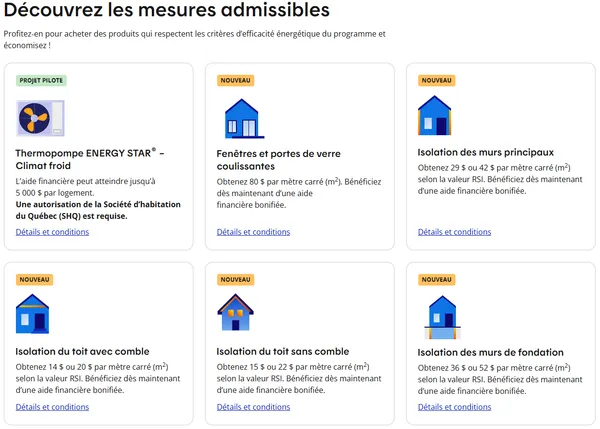
-
Click on “Faire une demande en ligne” (Apply online).
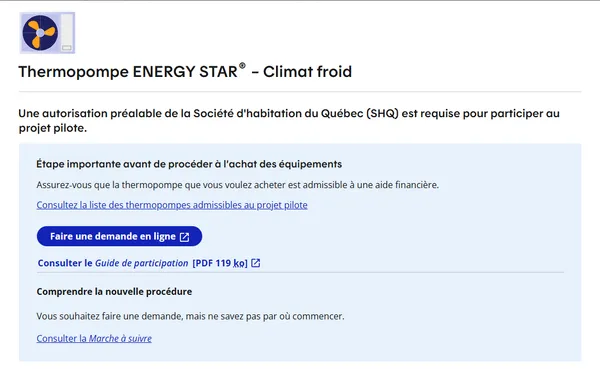
-
Click on “Créer mon profil” (Create my profile).
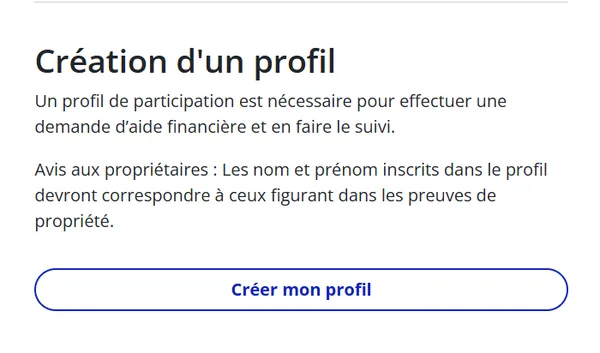
-
Enter the
email address of your housing office.
Use the email address of the person responsible for submitting and following up on the application to ensure smooth, centralized communication.
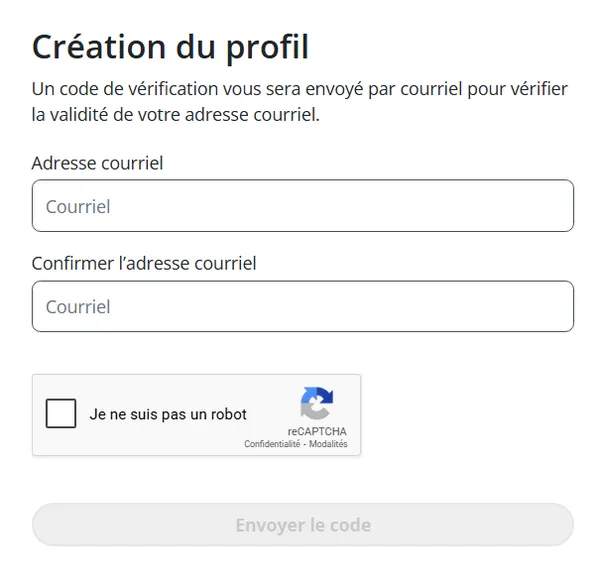
-
Need help creating your profile?
Contact the LogisVert Program support team:
Email: info@logisvert.ca
Telephone: 1 833 396‑1888 – option 6 (Monday to Friday, 8 a.m. to 8 p.m.)
-
Need help creating your profile?
- You will receive a validation code by email if your housing office is on the list of authorized housing offices.
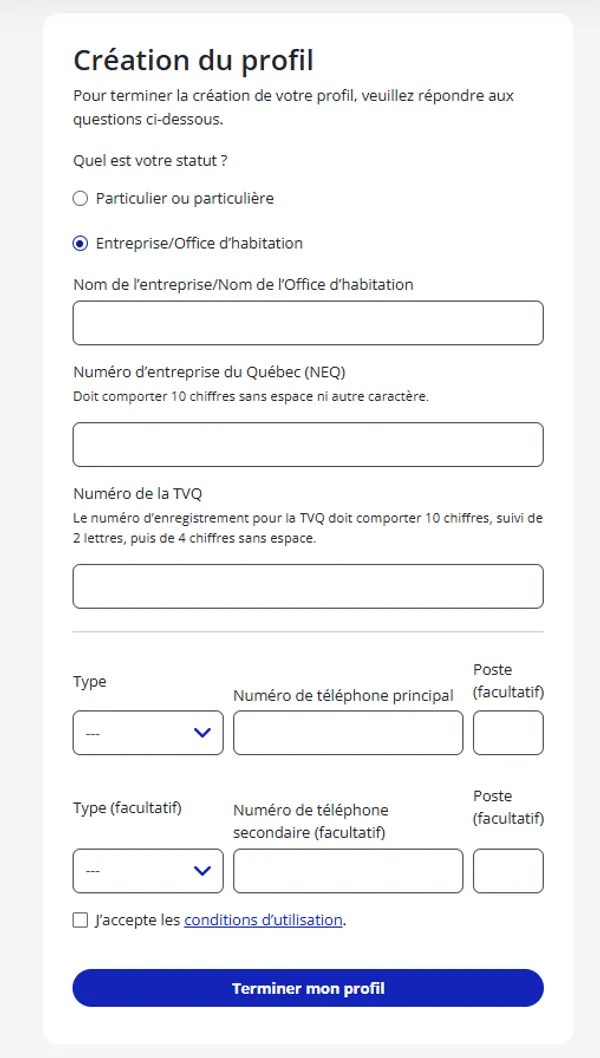
- Select “Entreprise/Office d’habitation” (Business/Housing office) and enter the name, Québec enterprise number (NEQ) and Québec sales tax (QST) registration number of your housing office and click on “Terminer mon profil” (Complete my profile).
2. Fill out the form
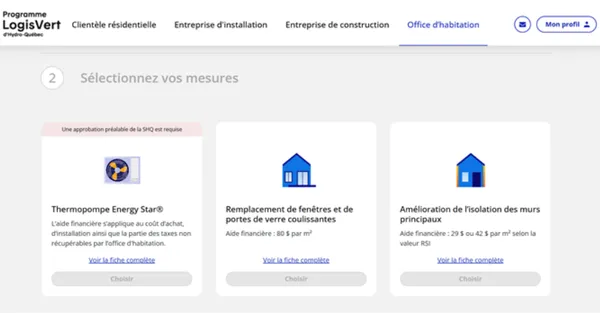
In the top menu of the LogisVert portal, select “Office d’habitation” (Housing office) and start filling out your application.
The form has five sections:
- Information on the measures
-
Select the type of housing and the measure for which you wish to receive financial assistance. Then click on “Continuer” (Next).
- Fill out the required fields and click on “Calculer l’aide financière” (Calculate the financial assistance).
- Get an estimate of the financial assistance.
-
- Installation address
- Enter the address(es) where the measure was implemented.
- Supporting documents
- Upload electronic copies of the purchase invoices.
- Upload a clear photo of the nameplate on the outdoor unit indicating the heat pump’s model number and serial number (one photo per model).
- Information on the housing office
- Make sure you enter the mailing address of the housing office and the name of the person who will receive the cheque.
- Review and submission
- Carefully go over all the details and submit your application.
Receive financial assistance
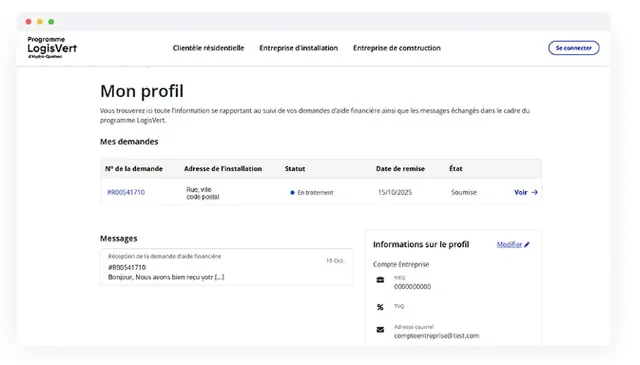
Once your application is approved, you’ll receive a cheque at the mailing address provided in your application. You can track the status of your application in your profile on the LogisVert portal.

Common mistakes to avoid
Avoid these common mistakes as they could cause your application to be denied:
- Illegible documents.
- Missing or inadequate supporting documents (blurry photo).
- Incomplete invoices (see Section 2.10 of the Participant’s Guide).
- Contracts and tenders are not considered invoices.