


If you manage or oversee a housing office and have carried out renovations, you may qualify for additional financial assistance to implement specific energy efficiency measures in your social housing units.
This guide outlines the steps to follow to register and submit an application that meets the program requirements. Although compliance with these steps does not guarantee automatic approval of your application, it increases your chances of success by helping you avoid common mistakes.
Before you begin
1. Check your eligibility
Before filling out the application, check to see that you meet the eligibility criteria and have all the required documents. Refer to these important documents:
- List of eligible buildings – Social housing [XLSX 820 kB - in French only]
- Participant's guide – Hydro‑Québec's Energy Renovation Program for Modest-Income Households [in French only, PDF 232 kB - in French only]
Make sure you are the person who will submit the application and receive the financial assistance.
2. Gather the required documents
Make sure you have the following information:
- Number of the housing office and numbers of the eligible buildings as listed at hydroquebec.com/housing-bureaus.html
- Electronic copies of the purchase and installation invoices showing the work was completed and paid for
- Supporting documents (ENERGY STAR® specification sheets) for window and sliding glass door replacements
- Electric meter numbers for the units where one or more eligible measures were installed
Application process
1. Create a Housing Office profile
Once you have all the required documents on hand, you can start the online application process.
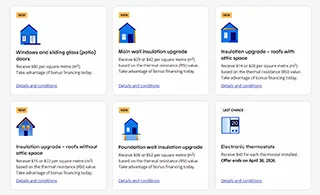
- On the main page of the Energy Renovation Program for Modest-Income Households, select the measure you want.
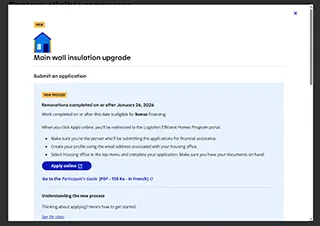
- Click on Apply online.
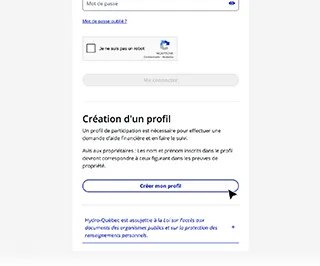
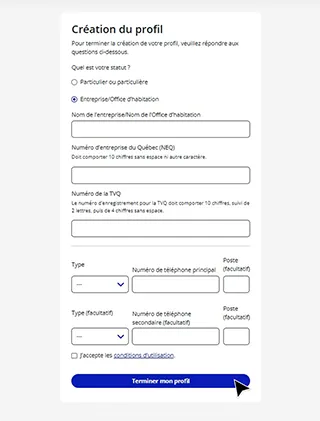
- Click on "Créer mon profil" (Create my profile).
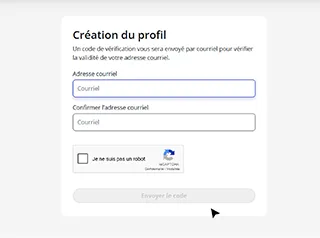
- If you are applying from an authorized housing office (see list), you will receive a validation code by email.
- Select "Entreprise/Office d'habitation" (Business/Housing office) and enter the name, Québec enterprise number (NEQ) and Québec sales tax (QST) registration number of the housing office and click on "Terminer mon profil" (Complete my profile).
2. Fill out the form
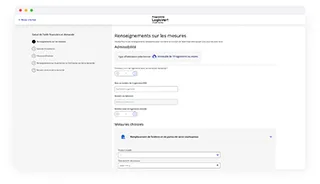
In the top menu of the LogisVert portal, select "Office d'habitation" (Housing office) and start filling out your application. The form has five sections:
- Information on the measures
- Select the type of housing and the measures to receive financial assistance. Then click on "Continuer" (Next).
- Fill out the required fields and click on "Calculer l'aide financière" (Calculate the financial assistance).
- Get an estimate of the financial assistance.
- Installation address
- Enter the address(es) where the measures were implemented.
- Supporting documents
- Upload electronic copies of the purchase invoices.
- Upload the supporting documents (ENERGY STAR® specification sheets) for window and sliding glass door replacements.
- Information on the housing office
- Make sure you enter the mailing address of the housing office and name of the person who will receive the cheque.
- Review and submission
- Carefully go over all the details and submit your application.
Receive financial assistance
Once your application is approved, you will receive a cheque at the mailing address you provided in the application. You can track the status of your application in your profile on the LogisVert portal.


Common mistakes to avoid
Avoid these common mistakes that could cause your application to be denied:
- Illegible documents
- Missing or inadequate supporting documents (ENERGY STAR® specification sheets)
- Incomplete invoices (Contracts and tenders are not considered invoices).